Test Management in Azure DevOps
Streamline manual testing in Azure DevOps
Key Features
Everything you need to streamline manual testing in Azure DevOps.
Test Case Management
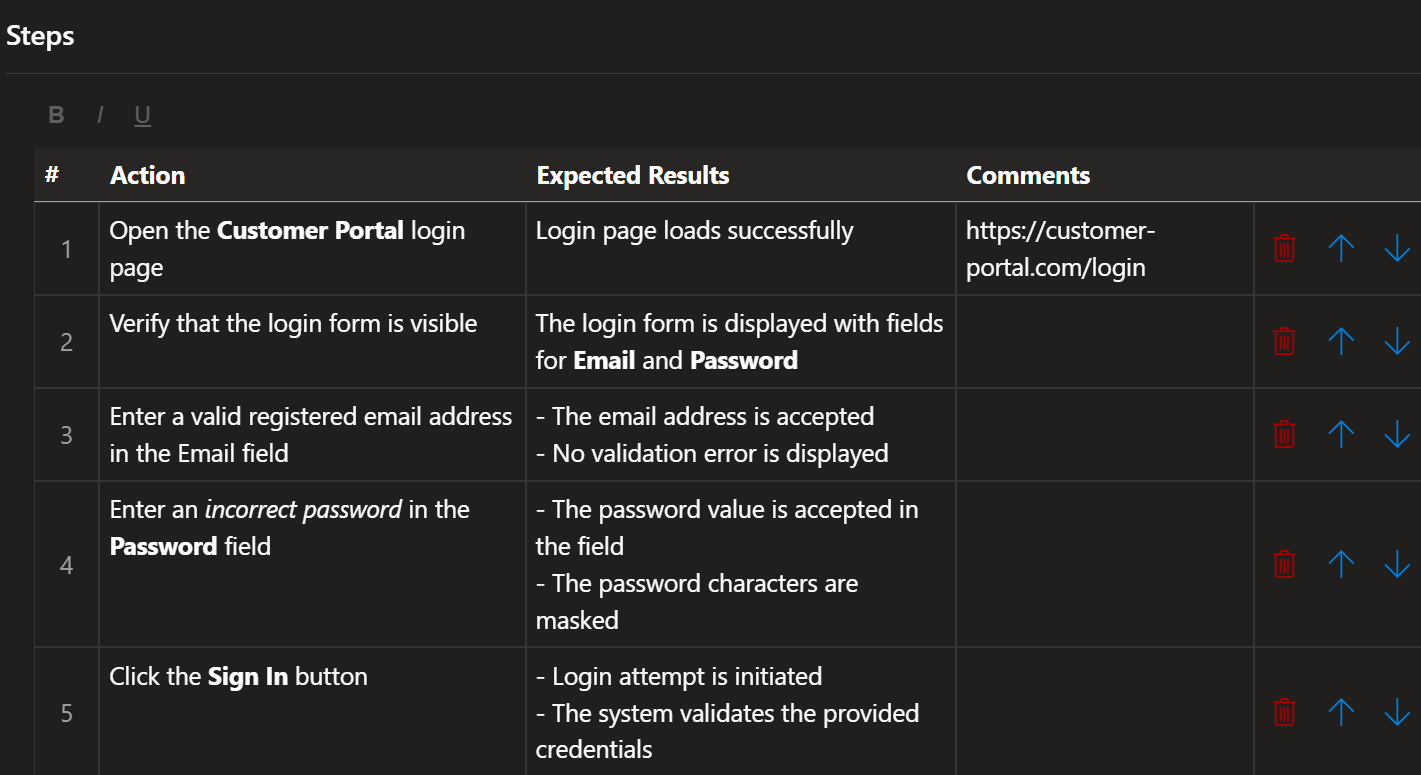
Build a clear test structure with collections, suites, and test cases — all stored as real Azure DevOps work items, accessible everywhere.
- Define test collections, test suites, and test cases in a clear hierarchy
- All items are real Azure DevOps work items — queryable, linkable, and trackable
- Include any work item type (e.g. Product Backlog Items) in your test structure
Coming Soon
We're constantly improving. These features are on our roadmap and will be available in upcoming releases.
AI-Powered Test Generation
Let AI help you generate, review, and improve test cases based on your work items, acceptance criteria, and existing test data.
Import & Export
Transfer test collections, test runs, and results between projects or organizations — using JSON and other formats to fit your workflow.
Advanced Charts & Reporting
Build custom charts, combine data from multiple test collections and runs in a single view, and generate detailed reports your team and stakeholders will love.
Have an idea? We're listening.
We build this product for people like you. If you need a specific feature, have an improvement idea, or just want to share feedback — we'd love to hear from you. Your input directly shapes our roadmap.
Share Your IdeasHow It Works
Get started in four simple steps.
Install from Marketplace
Find ADO Test Management on the Azure DevOps Marketplace and install it to your organization with a single click.
Visit Azure DevOps Marketplace →Add Work Item Types
Register test collections, test suites, test cases, and test runs as work item types in your Azure DevOps organization. Use our PowerShell script to automate the setup via the Azure DevOps REST API.
View setup guide →Configure to Your Needs
Customize how the extension works — choose which work item types can contain test cases, set up your hierarchy, and adjust defaults to match your team's workflow.
View configuration guide →Start Testing with Confidence
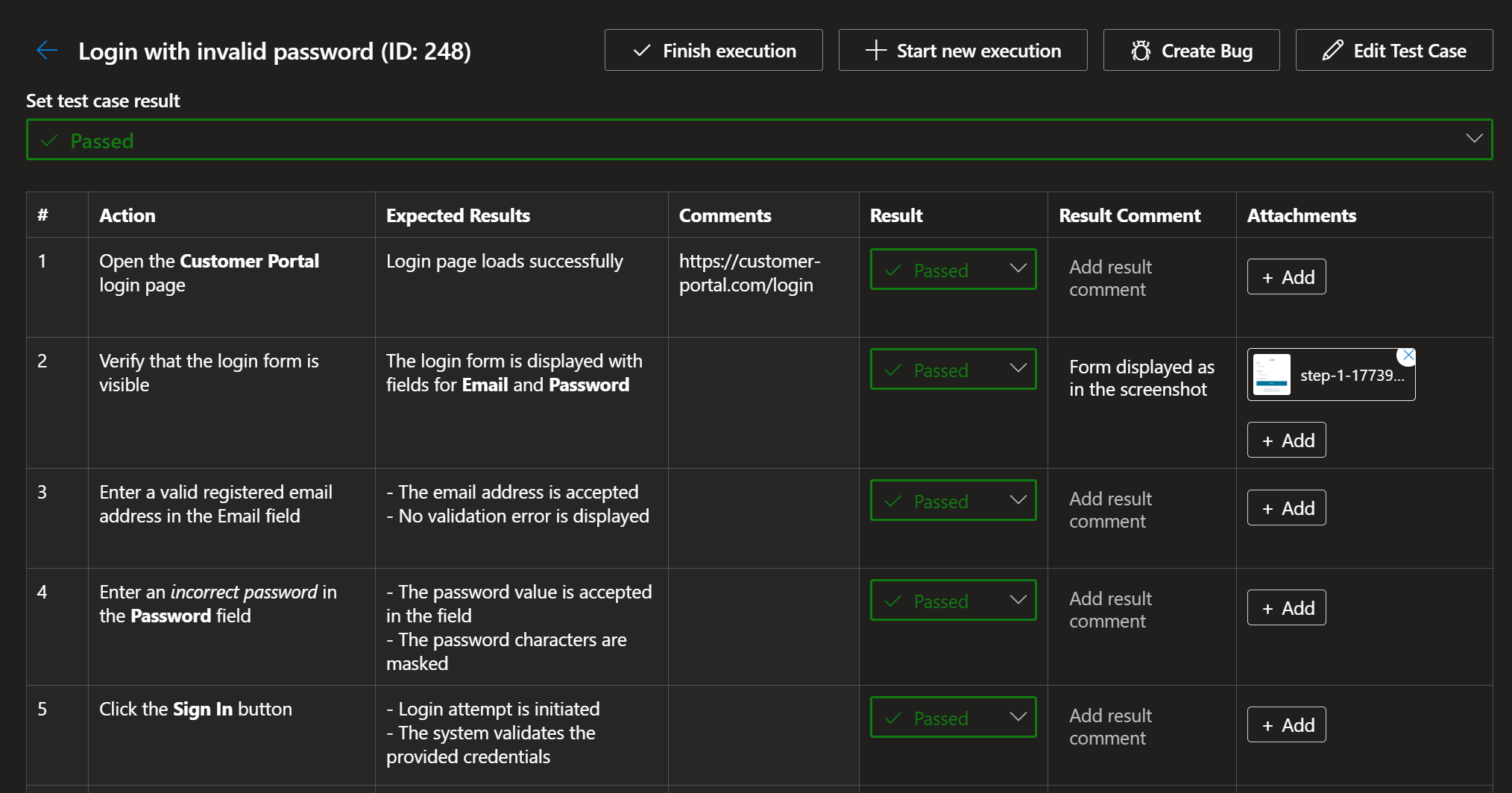
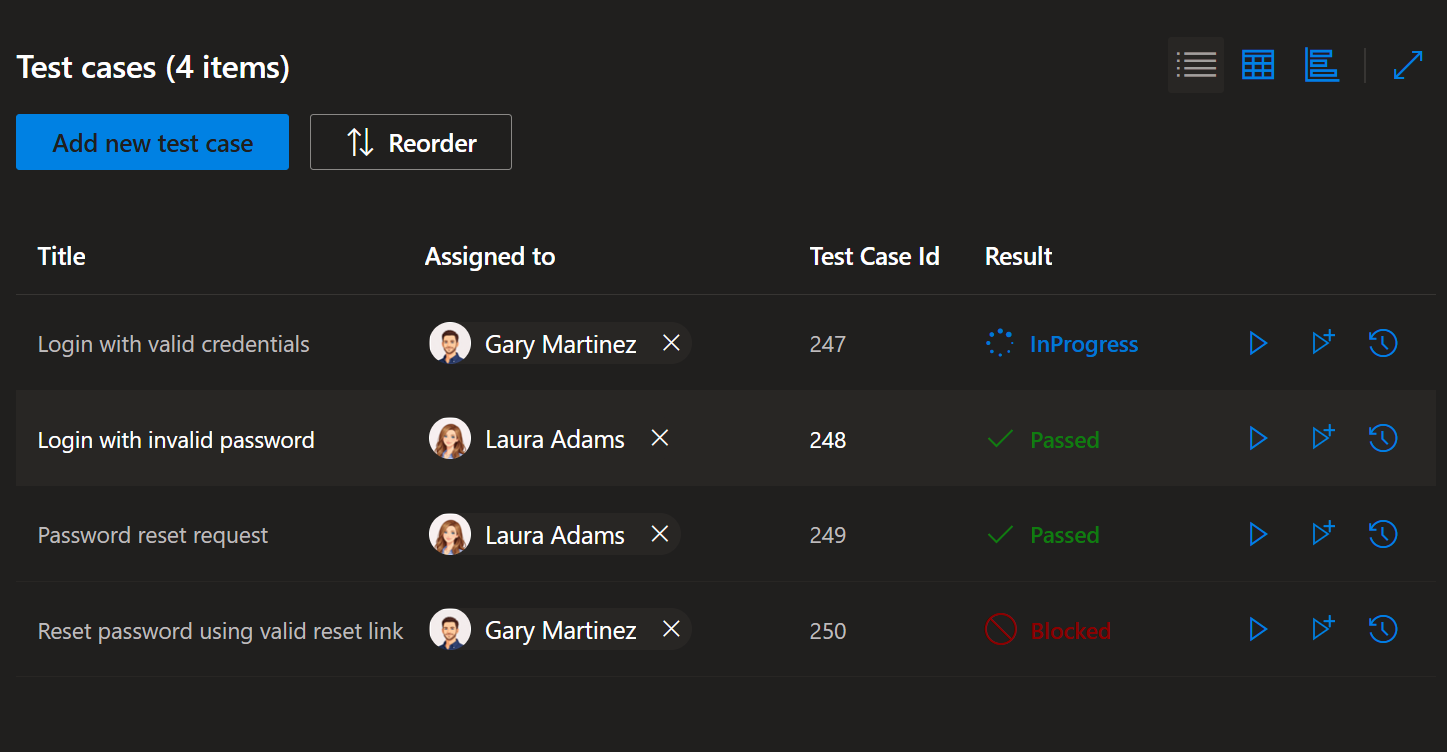
Create your first test collection, assign test cases to your team, and kick off your first test run. Everything lives right inside Azure DevOps — exactly where your team already works.
Pricing
Free read access for everyone. Pay only for users who manage tests.
Every user in your organization gets full read-only access at no cost — review test collections, test suites, test cases, executions, test runs, and more.
30 days — full access, no credit card required
- Full access to all features
- Unlimited test collections & test cases
- Create and execute test runs
- No credit card required
Only for users who manage tests — readers stay free
- Everything in the free trial
- Create & manage test collections, suites, and cases
- Create & execute test runs
- Full test execution with results tracking
- Priority email support
- Free updates & new features
Frequently Asked Questions
Everything you need to know about ADO Test Management.
Ready to transform your testing workflow?
Get started with ADO Test Management today and see the difference.